PROJECT / PORTFOLIO
Interactive 3D Coloring Station.
01 / OVERVIEW
About the project.
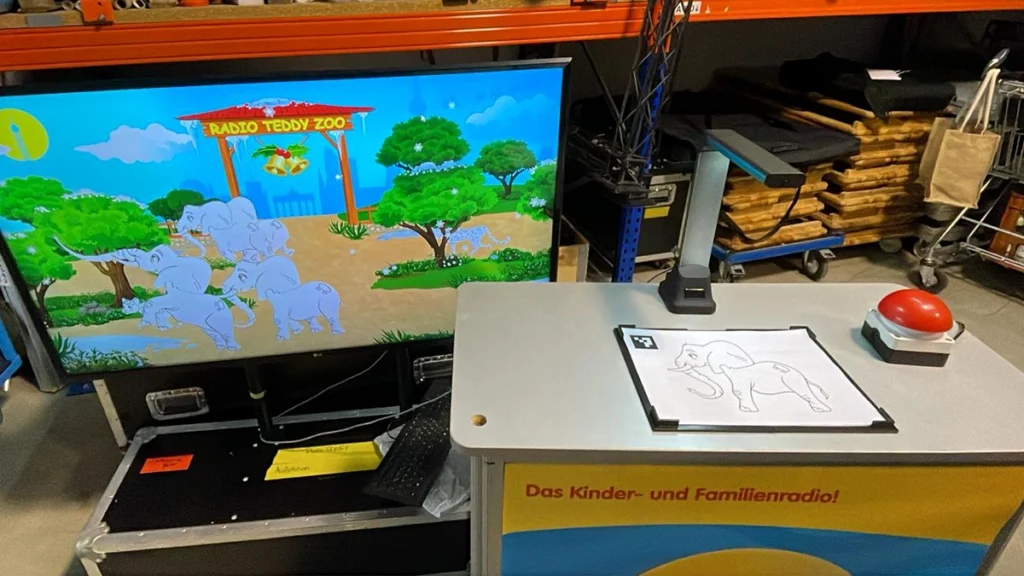
The Interactive 3D Coloring Station brings children's drawings to life. Children start by coloring an animal on a printed coloring page. The completed drawing is then captured by a camera, processed by the application, and transferred onto the corresponding 3D animal model displayed on screen.
This creates an interactive bridge between traditional coloring and digital experiences: children can see their own artwork transformed into a digital 3D animal, with their colors and drawings appearing directly on the model.
02 / PROJECT INFORMATION
Project details.
Classification
Client Work
Year / Period
2025
My Role
Unity Developer
Platform
PC
Technologies
Unity, C#, OpenCV, Image Processing, 3D Rendering,
03 / KEY FEATURES
Features that shape the experience.
- Physical-to-Digital Interaction - Transfers hand-colored paper drawings into a real-time digital experience.
- Camera-Based Capture - Captures drawings using a connected webcam.
- Marker Recognition - Uses printed ArUco markers to identify individual animal drawings.
- Image Processing - Processes captured images and aligns the artwork with the corresponding 3D model.
- 3D Texture Integration - Applies the captured artwork directly to UV-mapped animal models.
- Interactive 3D Presentation - Displays the user's own coloring on an animated digital animal.
- Custom Software Integration - Connects camera input, image recognition, image processing, and real-time 3D rendering in one application.
04 / PROJECT SHOWCASE
Inside the project.
05 / DEVELOPMENT
Behind the project.
The application was developed in Unity using C#, combining camera integration, image processing, and real-time 3D rendering.
3D Model and Texture Pipeline
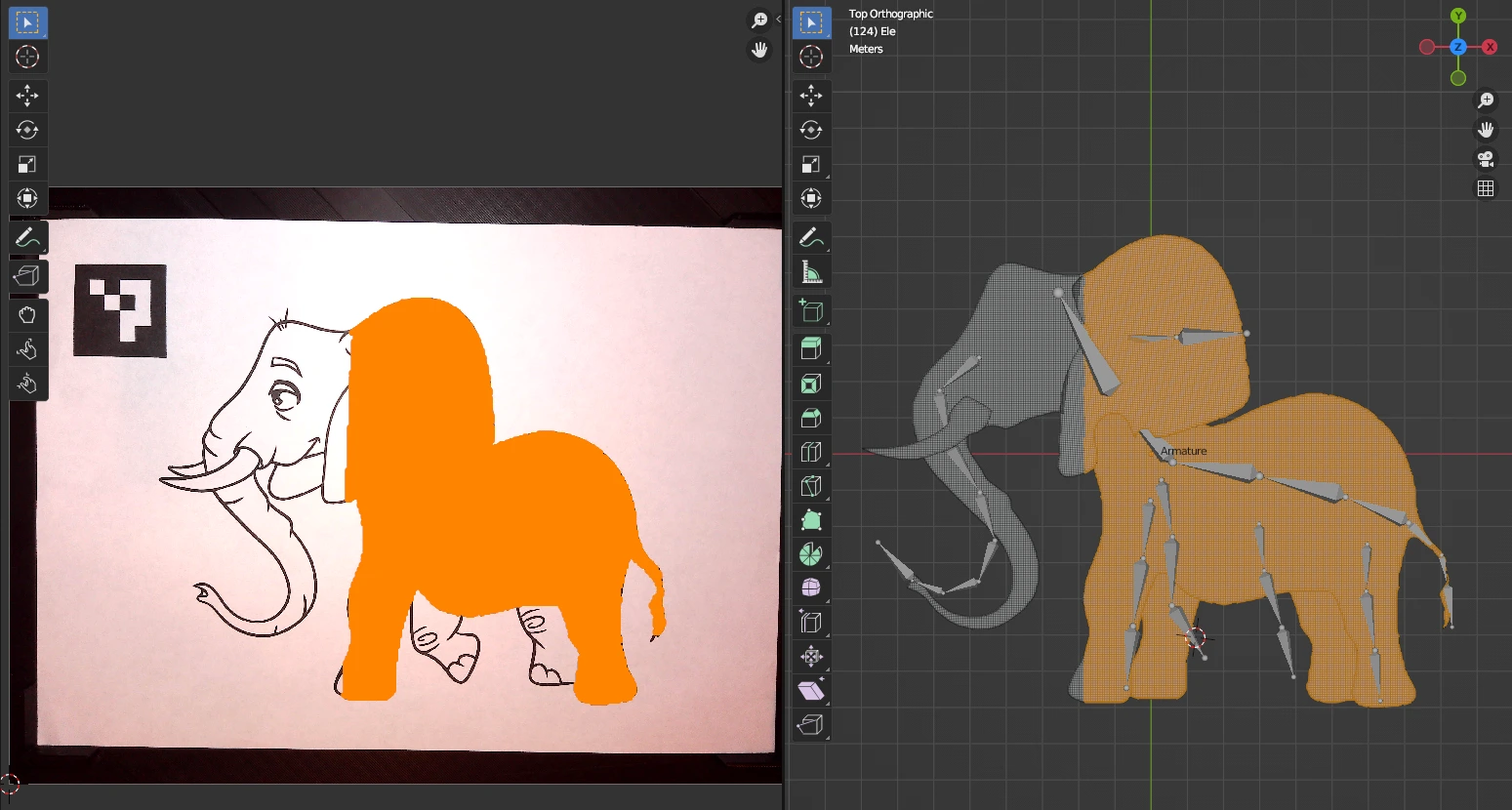
Each animal was created as a 3D plane model with a UV-mapped texture. The texture dimensions were matched to the captured coloring page, allowing the camera image to replace the model’s original texture at runtime. Once processed, the newly captured drawing was applied to the corresponding model, preserving the children’s original colors and artwork.
Animal Recognition and Instantiation
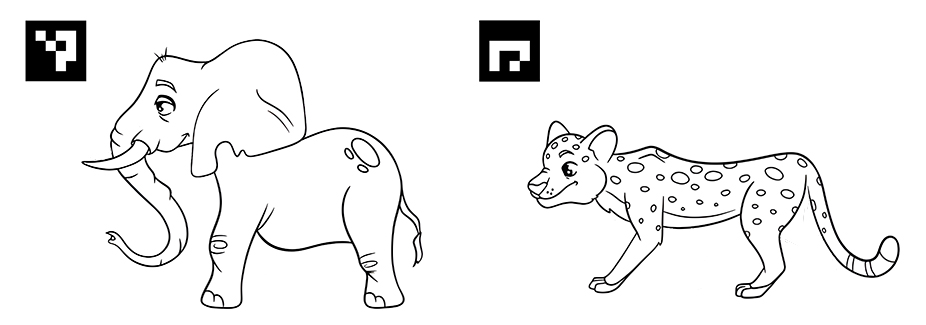
Different animal coloring pages were assigned individual visual markers. The application detects the marker in the captured image and uses its ID to determine which 3D animal model to instantiate. This allowed multiple animals to be supported within the same application.
Solving the Image Alignment Problem
A major challenge was ensuring that the captured drawing aligned precisely with the model’s UV texture. Initially, this was approached by controlling the physical setup: the camera was mounted in a fixed position, while a custom 3D-printed paper holder kept the A4 coloring page in a consistent position.
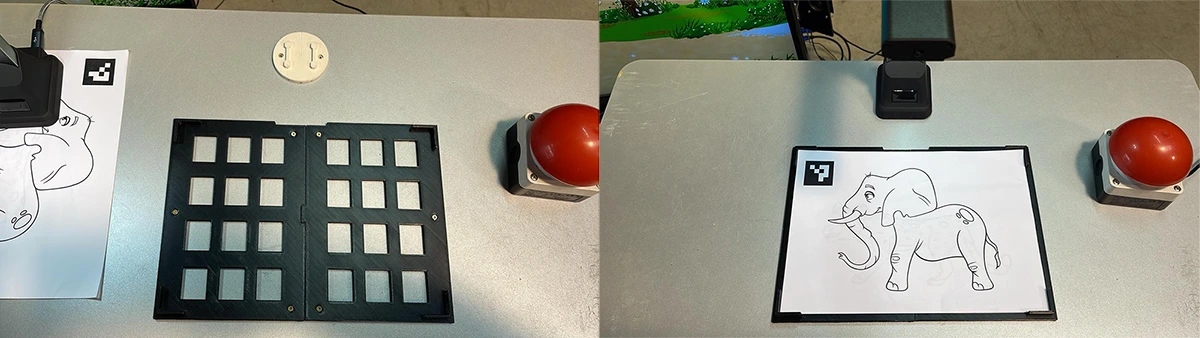
Although this provided reliable alignment under optimal conditions, it remained sensitive to positioning errors. This became particularly problematic when children used the station, as even small deviations in paper placement could cause the drawing to appear offset on the 3D model.
Marker-Based Image Alignment
To overcome this limitation, I implemented marker-based positioning using the visual marker printed on each coloring page. Instead of relying solely on the fixed position of the paper, the application detects the marker in the camera image and uses it as a reference to calculate the correct alignment of the captured artwork.
This allows the image to be aligned with the model’s UV texture regardless of small variations in paper placement, as long as the marker remains visible within the camera’s field of view.
The result was a significantly more robust capture process, reducing the impact of user positioning errors and making the application better suited to use by children.